
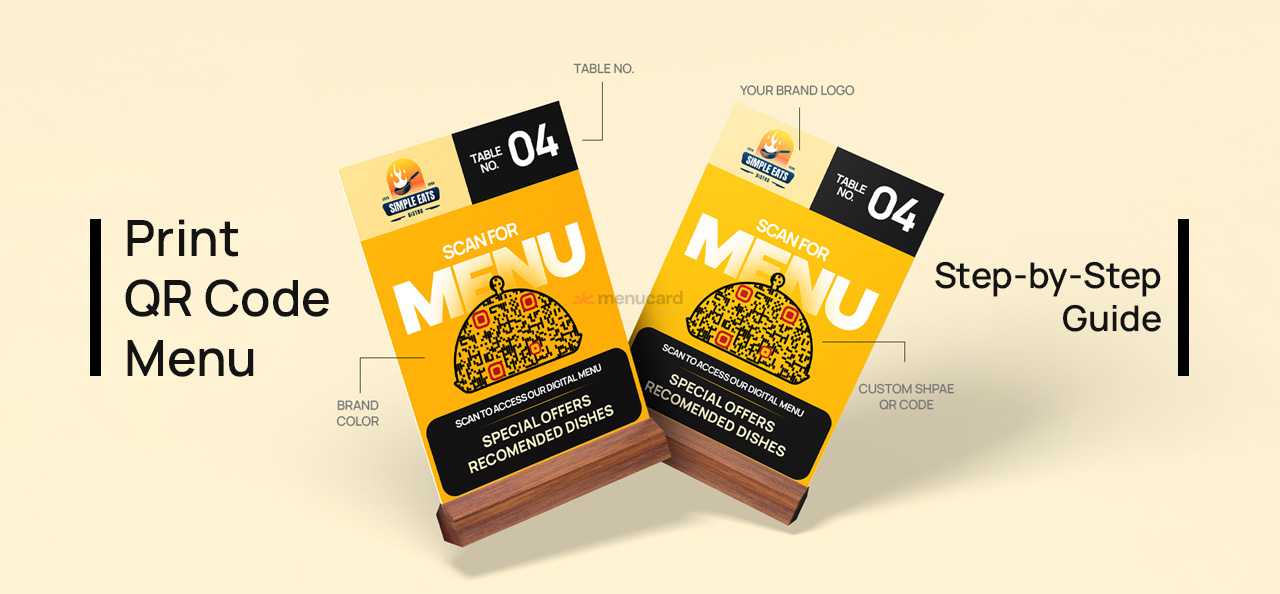
Digital menus have become one of the most practical upgrades for modern restaurants. Instead of printing hundreds of menu cards that get damaged, updated frequently, or require reprinting, restaurants are now switching to QR code menus placed directly on tables.
Customers simply scan the QR code using their phone camera and instantly view the menu. No waiting, no physical contact, and the menu can be updated anytime.
If you run a restaurant, cafe, cloud kitchen, or bar, learning how to print QR code menus for tables can help you:
- Reduce printing costs
- Update menus instantly
- Improve customer experience
- Increase table turnover
In this guide, we’ll explain how to create, design, and print QR code menus for restaurant tables step-by-step. We’ll also show how tools like MenuCardStudio help restaurants generate ready-to-print QR code PDFs with table numbers and custom branding.
Why Restaurants Use QR Code Menus
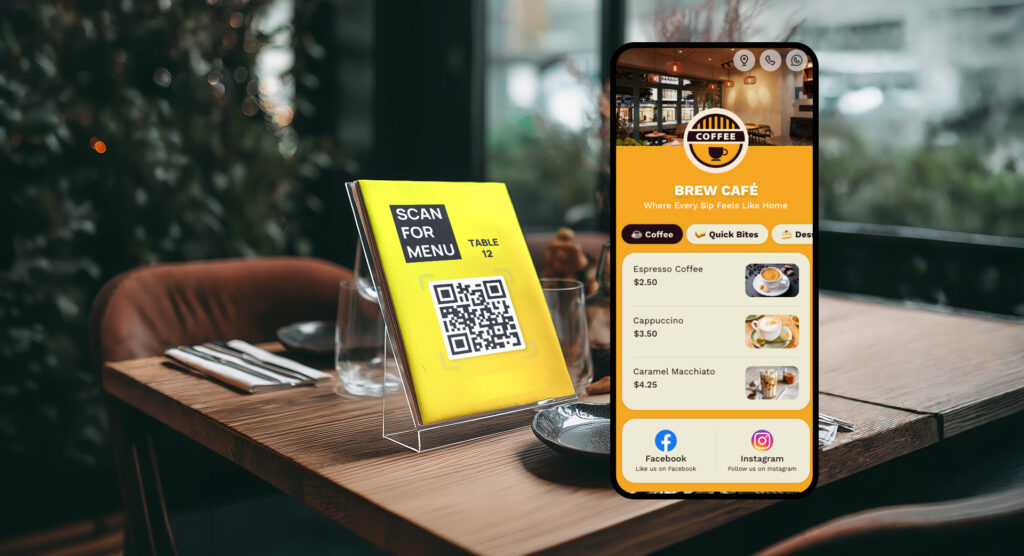
Over the last few years, QR code menus have become standard in many restaurants worldwide.
Instead of giving a printed menu to each customer, restaurants place small QR code standees or stickers on every table.
When customers arrive:
- They scan the QR code
- The menu opens on their phone
- They browse dishes instantly
Benefits for Restaurants
1. Zero Reprinting Cost
Traditional menus need reprinting whenever prices change. With QR menus, you update the menu digitally.
2. Faster Ordering
Customers start browsing immediately after sitting.
3. Hygienic Dining Experience
No physical menu cards passed between guests.
4. Unlimited Menu Updates
Add new dishes, remove items, or change prices anytime.
5. Marketing Opportunities
Digital menus allow:
- Food videos
- Daily specials
- WhatsApp ordering
- Location directions
What You Need Before Printing QR Code Menus
Before printing QR codes for restaurant tables, you need three basic things:
1. A Digital Menu
Your menu must exist online. This could be:
- A QR menu builder
- A website menu
- A hosted menu page
2. A QR Code Generator
The QR code connects customers to your menu.
Professional tools generate stable QR codes designed for restaurants.
3. Table Number Customization
Many restaurants create different QR codes for each table. This helps with:
- Table tracking
- Ordering systems
- Staff service management
Platforms like MenuCardStudio allow you to generate QR codes with table numbers automatically.
Step-by-Step: How to Print QR Code Menu for Restaurant Tables
Let’s walk through the complete process restaurants follow.
Step 1: Create Your Digital Menu
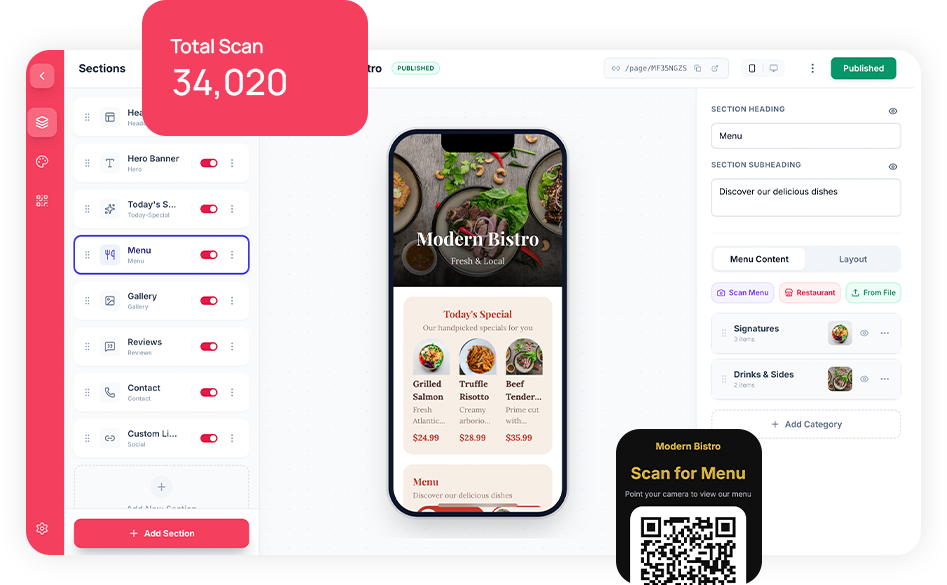
The first step is building your online menu.
A good digital menu should include:
- Dish name
- Description
- Price
- Category sections
- Food images (optional)
Modern QR menu platforms also support:
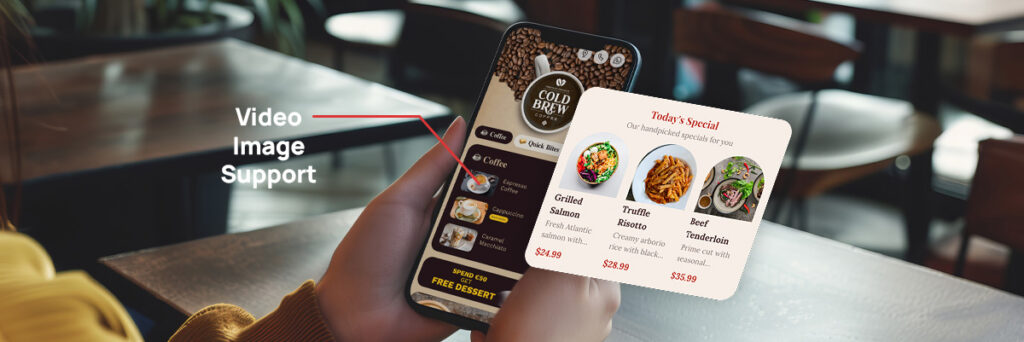
- Video dishes
- Today’s special section
- WhatsApp ordering
- Location directions
Using MenuCardStudio, restaurants can create a menu in less than 10 minutes.
You can even scan your existing menu using OCR technology, and the system automatically converts it into a digital menu.
Step 2: Generate QR Codes for Tables
Once your menu is ready, the next step is generating QR codes.
Instead of using one QR code for the whole restaurant, many restaurants create individual QR codes for each table.
Example:
- Table 1 QR code
- Table 2 QR code
- Table 3 QR code
This helps staff easily identify the customer’s table if the QR menu is connected to ordering.
MenuCardStudio allows you to:
- Generate multiple QR codes instantly
- Add table numbers automatically
- Export ready-to-print PDFs
Step 3: Customize Your QR Code Design
Plain QR codes work, but branded QR codes perform better.
Restaurants can customize QR codes with:
- Brand colors
- Logo in center
- Custom shapes
- Design frames
For example:
- Square QR code standee
- Circle QR design
- Brand color QR code
- Logo-embedded QR code
These designs improve scan rates and brand visibility.
MenuCardStudio offers custom QR code styling options, including:
- Logo QR codes
- Colored QR codes
- Custom shapes
- Restaurant branding integration
Step 4: Design Table Standees or Stickers
After generating QR codes, you need to design printable layouts for tables.
Restaurants typically use:
QR Code Table Standees
Small display stands placed in the center of the table.
Common sizes:
- A6
- 4×6 inch
- 5×7 inch
Advantages:
- Highly visible
- Easy to scan
- Can include promotions
QR Code Table Stickers
QR codes printed as stickers and pasted on the table surface.
Advantages:
- Low cost
- Permanent placement
- Minimal table space
Acrylic or Wooden QR Displays
Premium restaurants often use:
- Acrylic standees
- Wooden QR holders
- Metal tabletop displays
These enhance restaurant aesthetics while promoting QR menus.
Best QR Code Design Tips for Restaurants
Printing a QR code is easy, but designing it properly ensures maximum scan success.
1. Use High Contrast
Best combinations:
- Black on white
- Dark color on light background
Avoid low contrast colors.
2. Keep QR Code Size Large Enough
Minimum recommended sizes:
- Sticker: 2×2 inches
- Table standee: 3×3 inches
Smaller codes may fail to scan.
3. Add a Clear Scan Instruction
Always add text like:
“Scan to View Menu”
or
“Scan QR Code for Digital Menu”
Customers are more likely to scan when instructions are visible.
4. Add Table Numbers
If each QR code belongs to a table, clearly display:
Table 01
Table 02
This helps staff identify orders quickly.
5. Include Your Logo
Branded QR codes look professional and increase trust.
Example layout:
Restaurant Logo
QR Code
“Scan for Menu”
Exporting Ready-to-Print QR Code PDFs
Once the QR code designs are ready, the final step is exporting print-ready files.
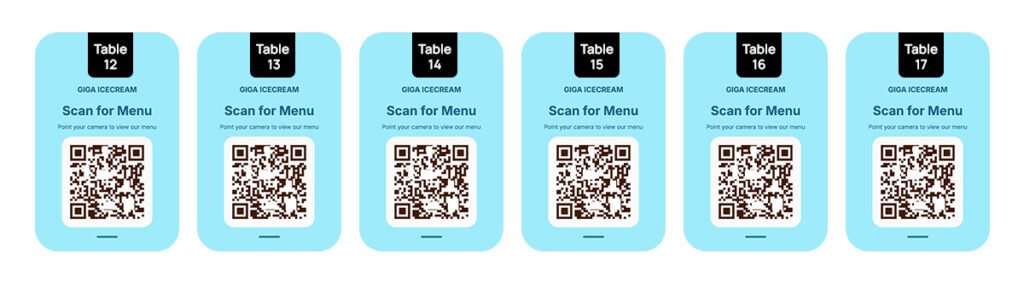
Professional platforms like MenuCardStudio allow you to:
- Generate high-resolution PDFs
- Include multiple table QR codes in one file
- Download files ready for printing
These files can be printed on:
- Sticker sheets
- Standee boards
- Acrylic displays
Best Materials for Printing QR Code Menus
Choosing the right printing material improves durability.
Vinyl Stickers
Best for:
- Table surfaces
- Outdoor cafes
Waterproof and long lasting.
Laminated Prints
Best for:
- Table standees
- Budget restaurants
Lamination protects from spills.
Acrylic Displays
Best for:
- Premium restaurants
- Cafes
Very durable and elegant.
Wooden QR Holders
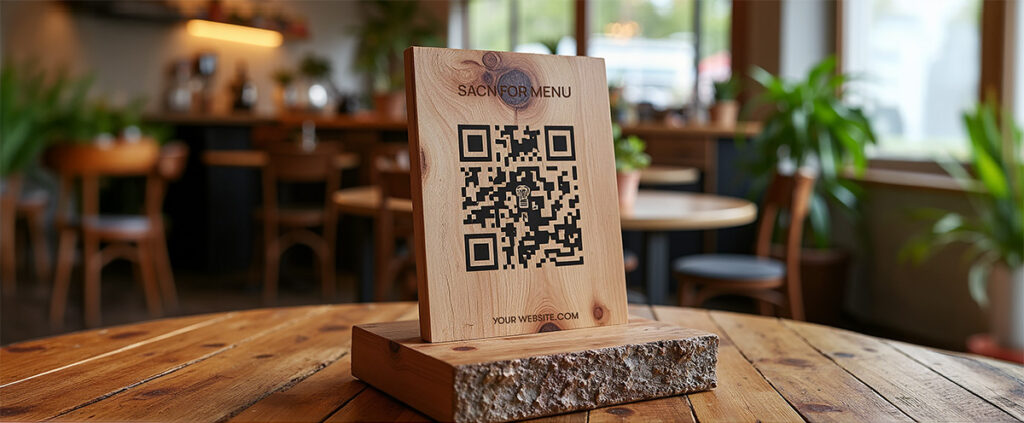
Popular for:
- Rustic cafes
- Boutique restaurants
Enhances interior design.
Common Mistakes When Printing QR Code Menus
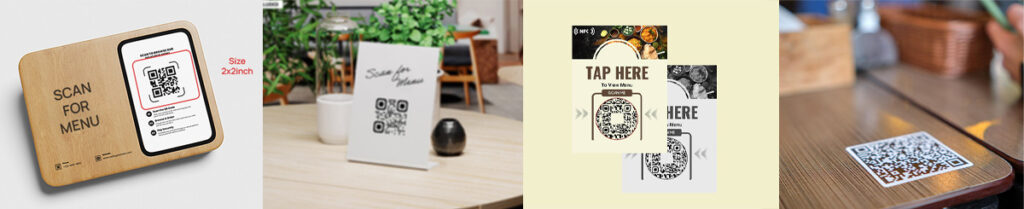
Common QR Code Menu Mistakes to Avoid
Many restaurants make mistakes that affect scanning performance. Avoid these issues:
Printing Too Small
QR codes smaller than 2 inches often fail to scan properly.
Always print large enough for easy smartphone scanning.
Poor Print Quality
Low resolution images reduce scan accuracy.
Always print high-resolution QR codes.
Too Many Design Elements
Do not clutter the QR code with graphics.
The QR must remain clear and readable.
Hidden QR Code Placement
Always place them where customers naturally look:
- Center of table
- Menu holder
- Table edge
Advanced QR Menu Features Restaurants Love
Modern QR menu platforms offer features beyond basic menus.
Food Video Menus
Instead of just text, restaurants can add food videos.
Videos increase craving and improve order value.
Today’s Special Section
Restaurants can highlight:
- Daily dishes
- Limited offers
- Seasonal menus
WhatsApp Ordering
Customers can order directly through WhatsApp after viewing the menu.
Google Maps Direction
Add restaurant location links inside the menu.
Create and Print QR Code Menu in 10 Minutes
One of the fastest ways to launch a QR menu is using MenuCardStudio.
The platform allows restaurants to:
- Create digital menus instantly
- Scan existing menus using OCR
- Generate table-wise QR codes
- Customize QR designs with logos and colors
- Download ready-to-print PDFs
Restaurants can create and launch their QR menu system in less than 10 minutes.
If you need custom QR standee designs, the platform also supports:
- Square QR standees
- Circular QR designs
- Logo QR codes
- Brand color QR styling
This helps restaurants maintain consistent brand identity across their tables.
Final Thoughts
QR code menus are no longer just a trend — they are becoming a standard tool for modern restaurants.
By placing printed QR codes on restaurant tables, businesses can reduce printing costs, improve hygiene, and offer customers a faster way to explore the menu.
The process is simple:
- Create a digital menu
- Generate QR codes
- Customize the design
- Print QR standees or stickers
- Place them on restaurant tables
With tools like MenuCardStudio, restaurants can generate ready-to-print QR code designs with table numbers, branding, and custom styles in minutes.
Whether you run a cafe, restaurant, food truck, or bar, implementing QR code menus can significantly improve your dining experience while simplifying menu management.
Leave a Reply